Product tour
Follow the work from plan to handover.
Explore the steps this workspace supports, and the product features behind each one.
The workflow
A clear route through the work
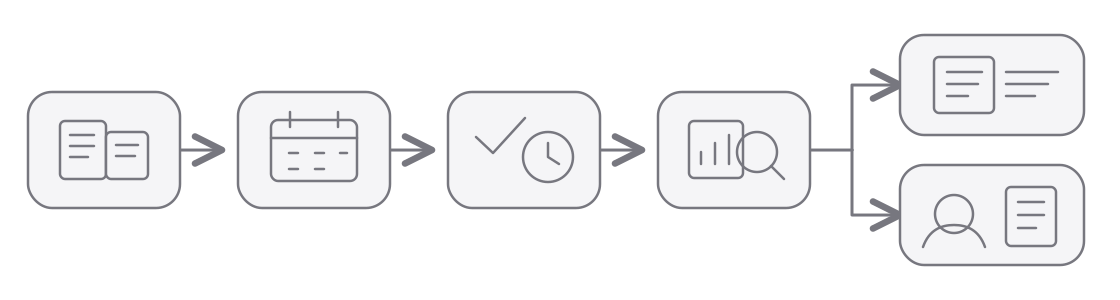
- Before the workPre-sales
Import customers and projects from your CRM when work is ready to start.
- 1 · PlanSet up the client work
Organise customers, projects and tasks; assign people and dates; plan capacity in the calendar.
- 2 · RunDo and record the work
Work from the task queue, update progress, record employee worktime and log project hours.
- 3 · ReviewCheck progress and time
Compare planned, worked and logged hours. Investigate gaps.
- 4 · Hand overPrepare usable records
Send invoice-ready project hours and payroll-ready worktime to accounting and HR systems.
Client invoicing
Project and task hours go to the invoicing system.
HourlogsEmployee payroll
Employee worktime goes to the payroll system.
WorktimeInvoicing and salary payment take place in your accounting and HR systems.
Explore the features
Open the part of the work you want to improve
Plan client work
Keep context, ownership and dates together.
Track work and time
Give employees a clear task queue and a simple way to record time.
Prepare a clean handover
Check records and connect to the next system.
For financial admins: see the organisation and project financial overview in real time.